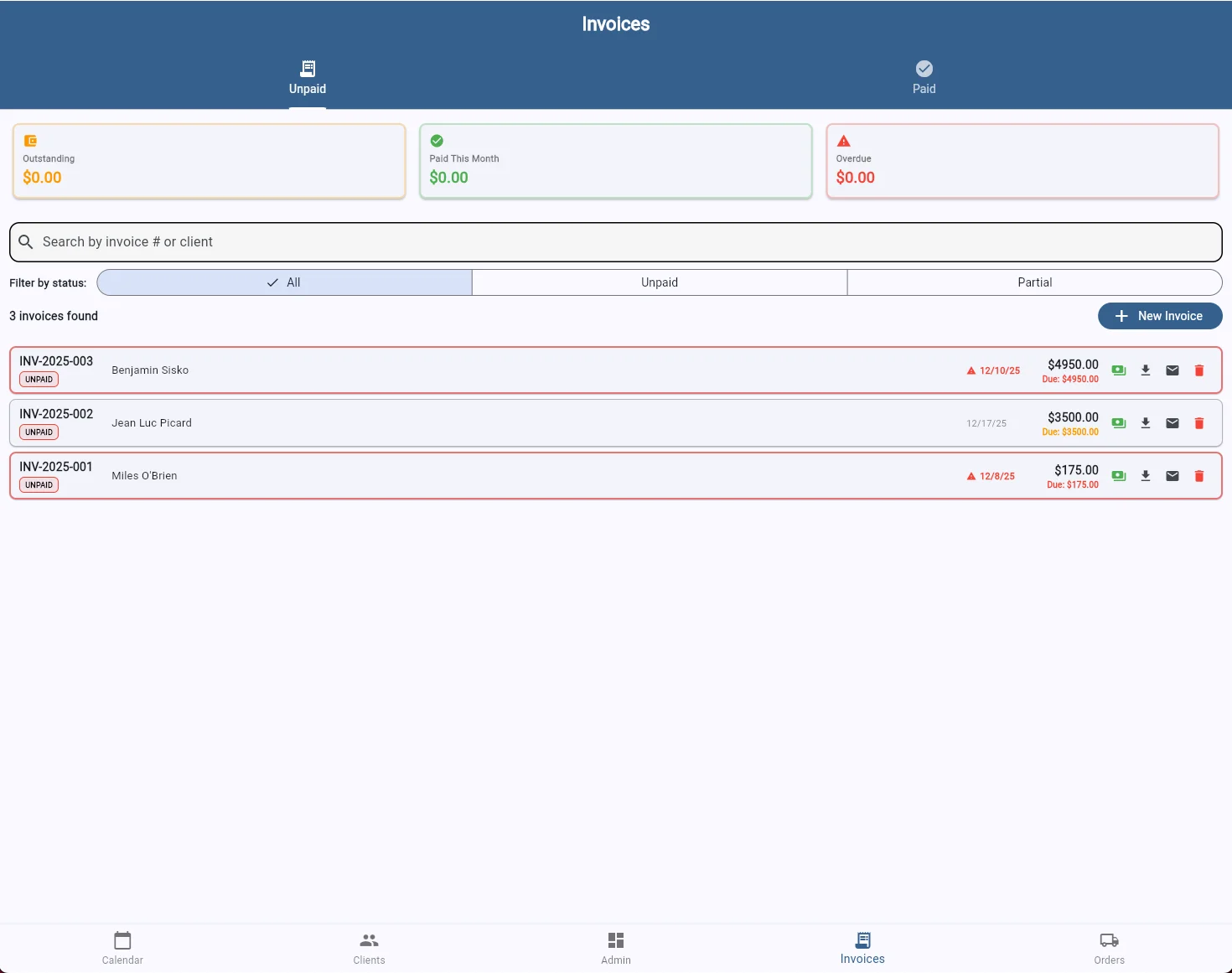
Create polished invoices in seconds, track payments at a glance, and get paid faster with built-in payment options.
See your financial picture instantly. The invoice dashboard shows outstanding balances, payments received this month, and overdue amounts at a glance. Filter by status, search by client or invoice number, and never lose track of who owes you money.
Visual alerts flag overdue invoices so nothing slips through the cracks. Download PDFs, email invoices directly to clients, or delete drafts—all from one clean interface.
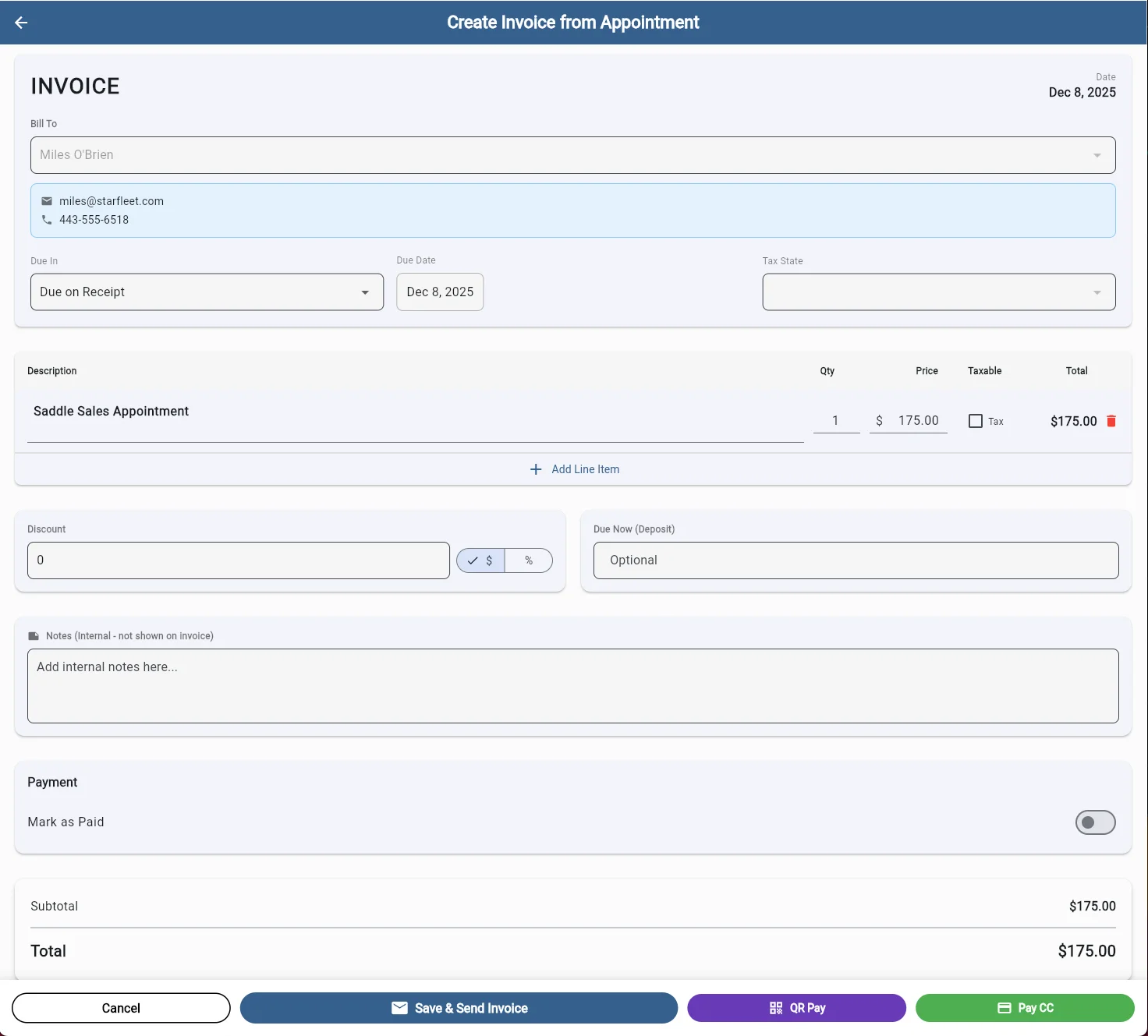
Build invoices that fit how you work. Add line items from your inventory or services, apply taxes per item, and offer discounts in dollars or percentages. Need a deposit upfront? Set a "Due Now" amount and collect partial payment before the work begins.
Internal notes let you track details without cluttering what the client sees. When you're ready, save and send via email, generate a QR code for quick mobile payment, or process a credit card on the spot.
SaddleWorks connects your calendar to your invoices. Create an invoice directly from a completed appointment with client details and services pre-filled. No double entry, no copying and pasting—just fast, accurate invoicing that gets you paid.
Start your free 7-day trial today
Start Free Trial