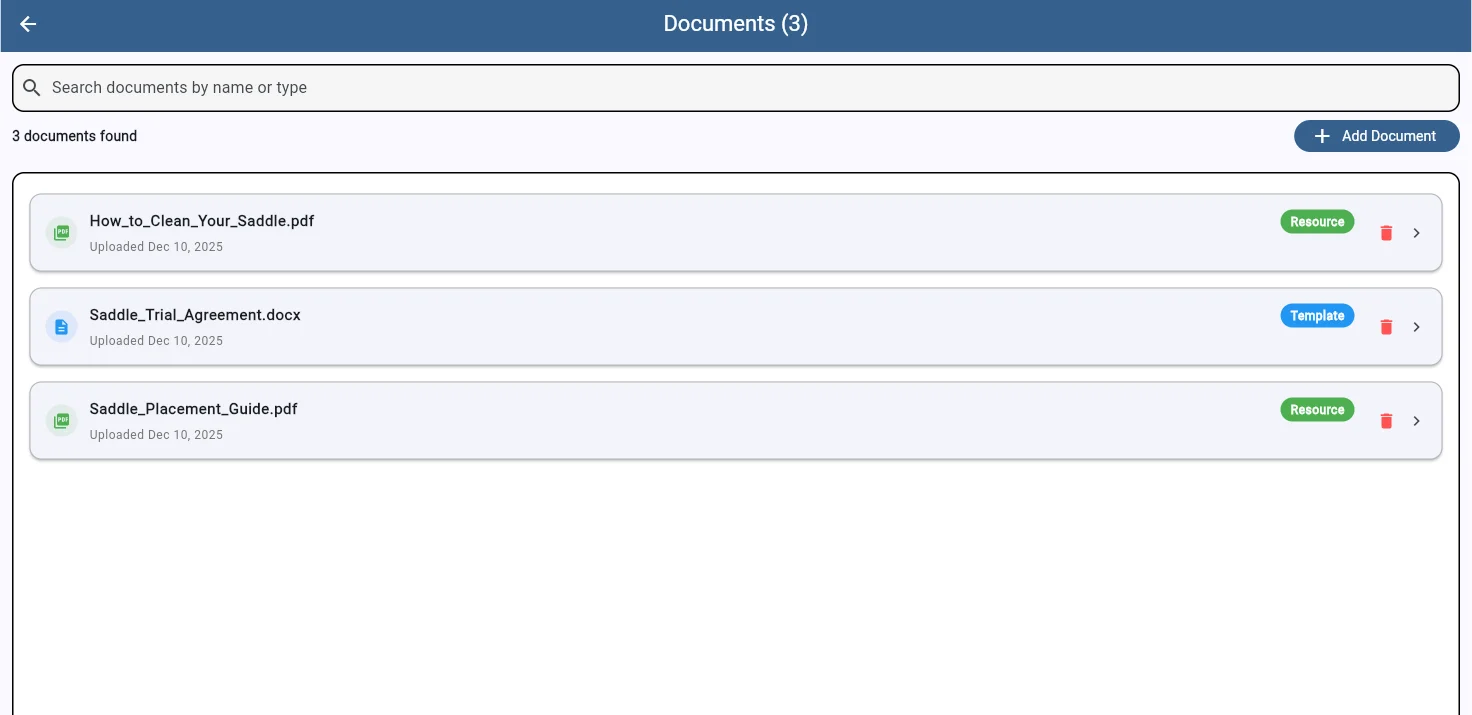
Store contracts, waivers, and reference guides in one place. Create reusable templates with smart placeholders that personalize automatically for each client.
Your document library keeps everything in one searchable location. Templates are clearly labeled and separated from reference guides, so you always know what's what. Upload dates help you track versions, and one-click deletion keeps things tidy.
Search by name or type to find what you need instantly. Whether you have three documents or thirty, SaddleWorks keeps them organized and accessible.
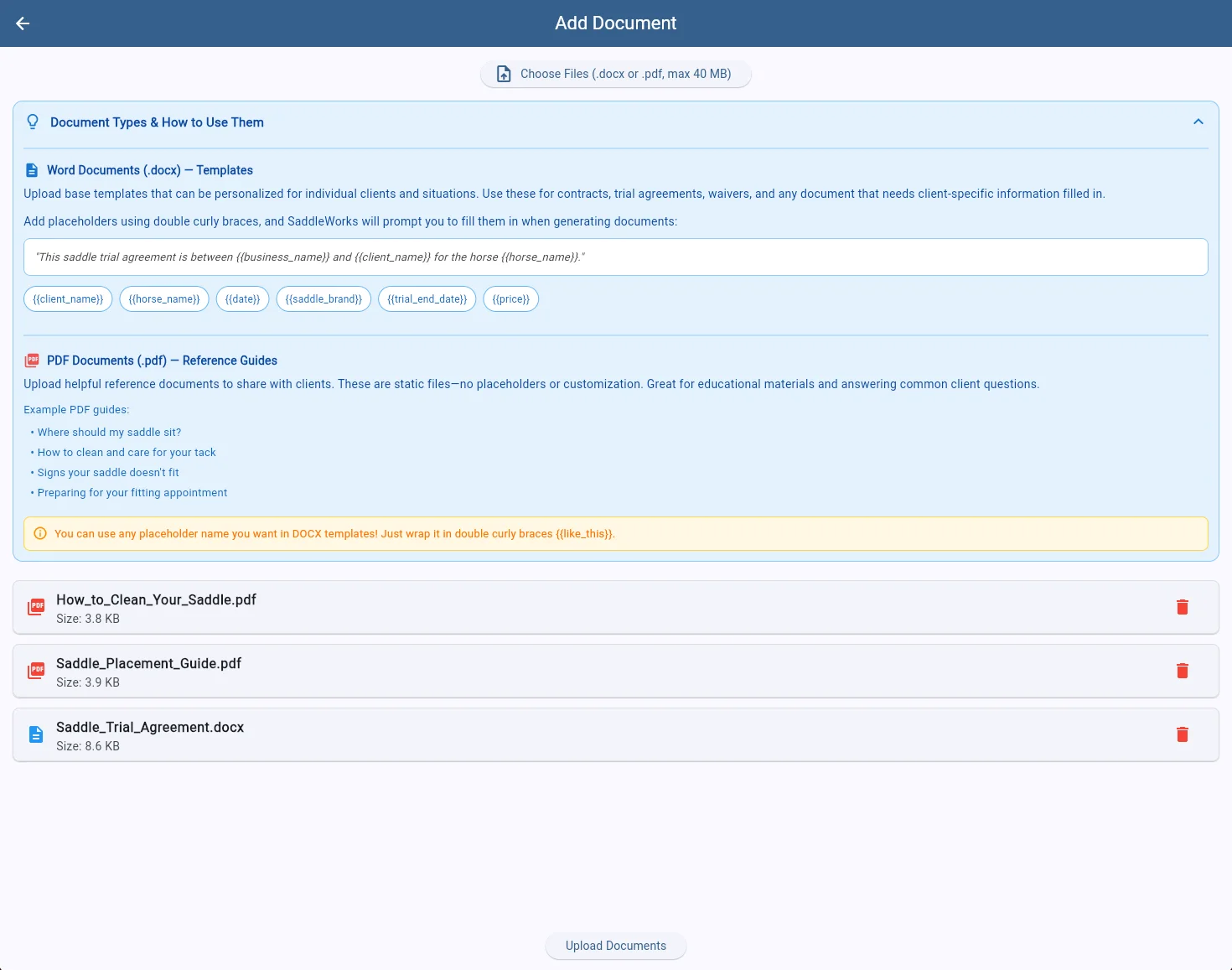
Templates (.docx) are the backbone of your client paperwork. Upload a Word document with placeholders like {{client_name}} and {{horse_name}}, and SaddleWorks will prompt you to fill in each field when generating documents for specific clients. Perfect for trial agreements, contracts, waivers, and any document that needs personalization.
Reference Guides (.pdf) are static documents you share with clients to answer common questions. Upload saddle care instructions, fitting guides, or preparation checklists—anything that helps educate your clients and reduce repetitive questions.
When you're ready to generate a document for a client, select your template and SaddleWorks extracts all the placeholders automatically. Fill in the client-specific details, preview the merged document, and send it for signature—all without leaving the app. Your templates become living documents that work for every client.
Start your free 7-day trial today
Start Free Trial